 Yho Apps
All your microstock tools.
From research to upload.
Find ideas that sell, create and polish your work, write metadata automatically, then send it to agencies. Yho Apps is free, and you install only the apps you need.

An app for every step of the job
Install only what you need and add more any time.
01Research


02Create


03Curate & tag


Start in three steps
Download Yho Apps
Free, installed in seconds, with nothing to configure.
Sign in with a Yho account
Sign up for free. One account for every Yho app.
Pick your apps
Start with the free apps, or unlock them all with Yho Apps Pro.
Built for the microstock workflow
The three apps contributors use most.
 TK Metadata
Hundreds of files, one click
Drop in a folder of photos, videos, or vectors. Titles, descriptions, and keywords are ready to edit, then saved into the files.
- Use the AI you prefer: Gemini, OpenAI, Claude, and more
- Your own API key or TK tokens
- Upload-ready CSV
- Check for logos and brands before upload

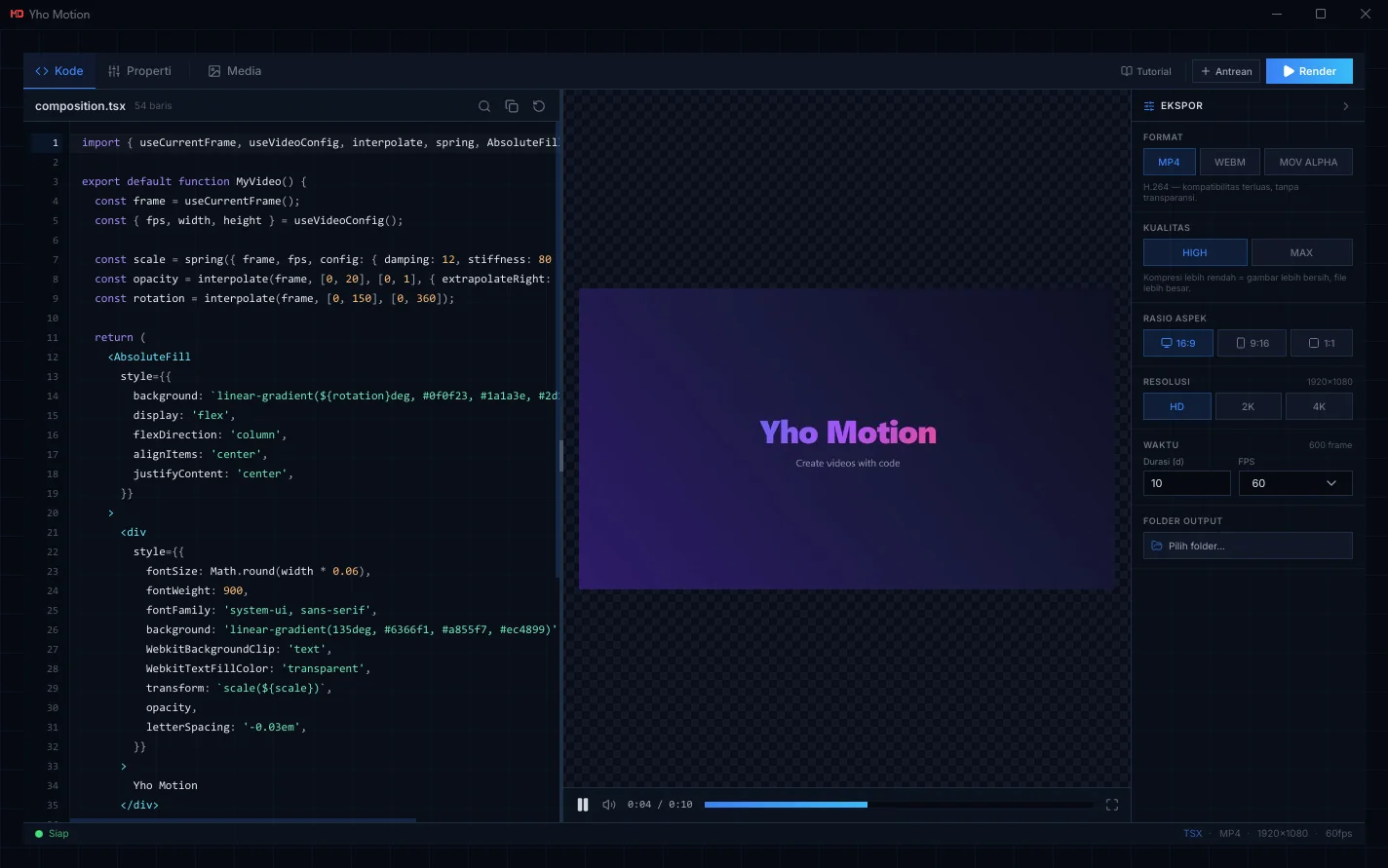
 Yho Motion
Animated stock video, up to 4K
Start from a template, from code, or from your own images and SVGs with animation presets. See the result live before you render.
- 100+ ready-made animation presets
- Transparent-background video for editing
- 3D animation
- Render several videos in one go
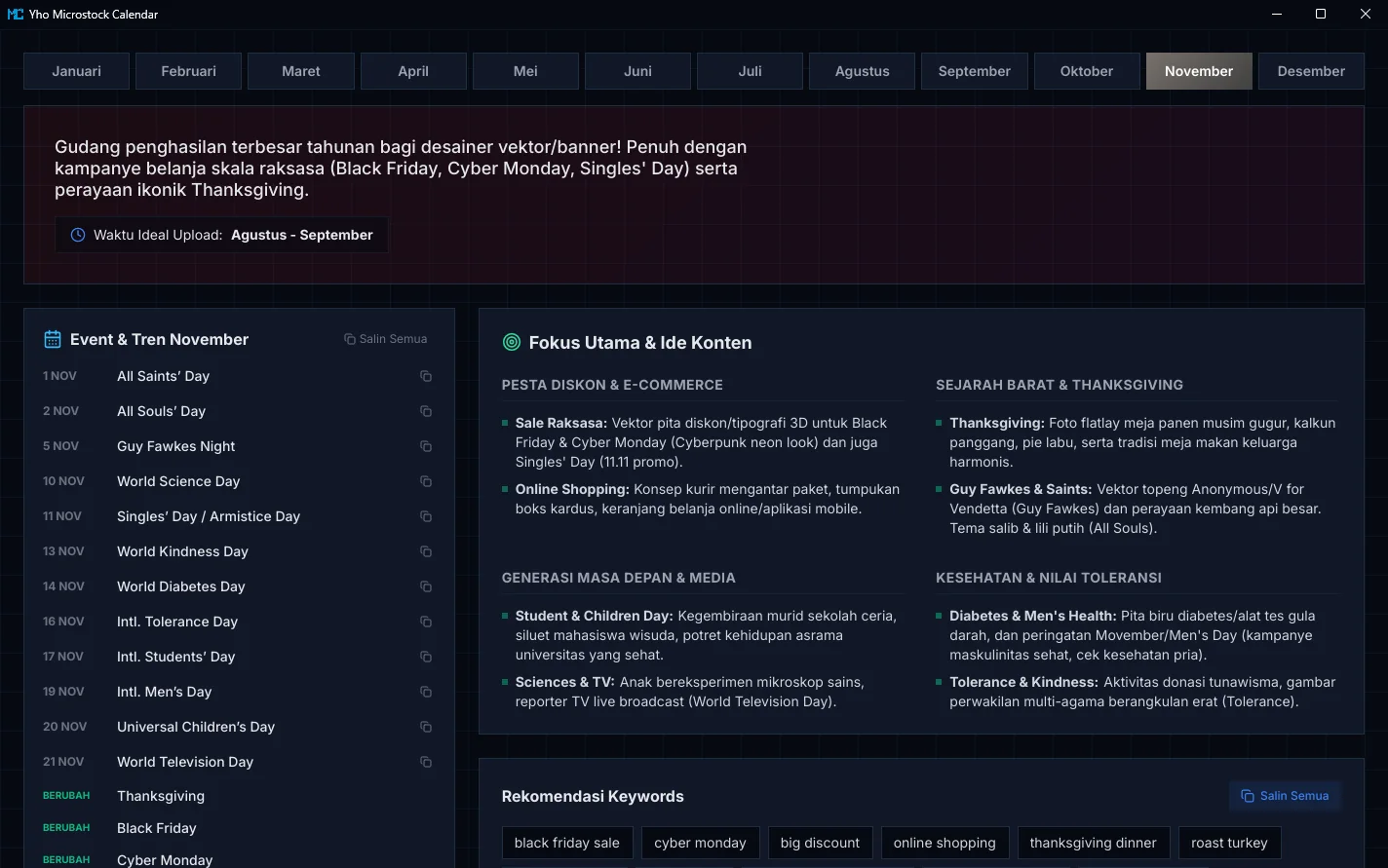
 Yho Microstock Calendar
Upload before buyers start searching
Every month lists dated events, themes buyers look for, content ideas, and keywords ready to copy.
- The best upload window every month
- Dated events and trends
- Keywords ready to copy
Let Claude run the apps for you
Connect Yho Apps to Claude Desktop and ask in plain words. Claude uses the Yho apps on your computer to write metadata, upscale, make videos, or upload. Included in Yho Apps Pro.
How to connect →Start free, upgrade when you need to
Yho Apps and three of its apps are free with a Yho account. Yho Apps Pro unlocks every other app, including TK Metadata. Prices in Indonesian Rupiah.
Yho account
- Yho Apps
- Yho Motion
- Yho Upscale Gambar
- Yho Similar Check
Just sign up, no card or payment
Download free1 Month
- Every Pro app, including TK Metadata
- Use with Claude and other AI apps
- 300K bonus tokens
- 1 device
To try every Pro app
Choose plan1 Year
- Every Pro app, including TK Metadata
- Use with Claude and other AI apps
- 8M bonus tokens
- 1 device
Lowest price per month
Choose planLifetime
- Every Pro app, including TK Metadata
- Use with Claude and other AI apps
- 12M bonus tokens
- 1 device
Pay once, Pro for life
Choose planMany devices or reselling? Bulk licence pricing is negotiable.
Contact on WhatsAppFrequently asked questions
What is Yho Apps?
A set of Windows apps for microstock contributors: idea research, image and video creation, metadata, and uploading to agencies. Everything is installed and updated from one place, with one account.
What is free?
Yho Apps, Yho Upscale Gambar, Yho Motion, and Yho Similar Check are free with a Yho account. The other apps, including TK Metadata, and the Claude feature use Yho Apps Pro: monthly, yearly, or a one-time payment for life.
Do I have to install every app?
No. Install only what you use. You can add or remove apps any time.
I use the old TK Metadata. How do I switch?
Download Yho Apps and sign in with the same account. Your subscription becomes Yho Apps Pro and your token balance stays. Then install TK Metadata from Yho Apps and enter your API key again.
What happens when a new version is out?
Yho Apps tells you, including through apps that are open. Just click Update; apps in use are updated after they close.
Why does Windows warn me during install?
That is normal for a new app Windows does not know yet. Click More info, then Run anyway. See how.
Are my files safe?
Your files stay on your computer. To write metadata, image previews are sent to the AI service you choose, or through the TK Metadata server when you use tokens. Your account and API keys are stored encrypted on your computer.
How many devices does Yho Apps Pro cover?
One device; all Yho apps on one computer count as one device, and free apps do not use it up. Need more? Contact us about Enterprise.
Can I use it offline?
Signing in and AI features need the internet. Similar Check and Upscale work on your computer.
Is there a Mac version?
Not yet, Yho Apps runs on Windows 10 and 11. TK Metadata is also available on Android and on the web.
Start with the app you need most
Download Yho Apps for free, sign in with a Yho account, then install apps one by one.