 Yho Apps

TK Metadata
Titles and keywords, done for you
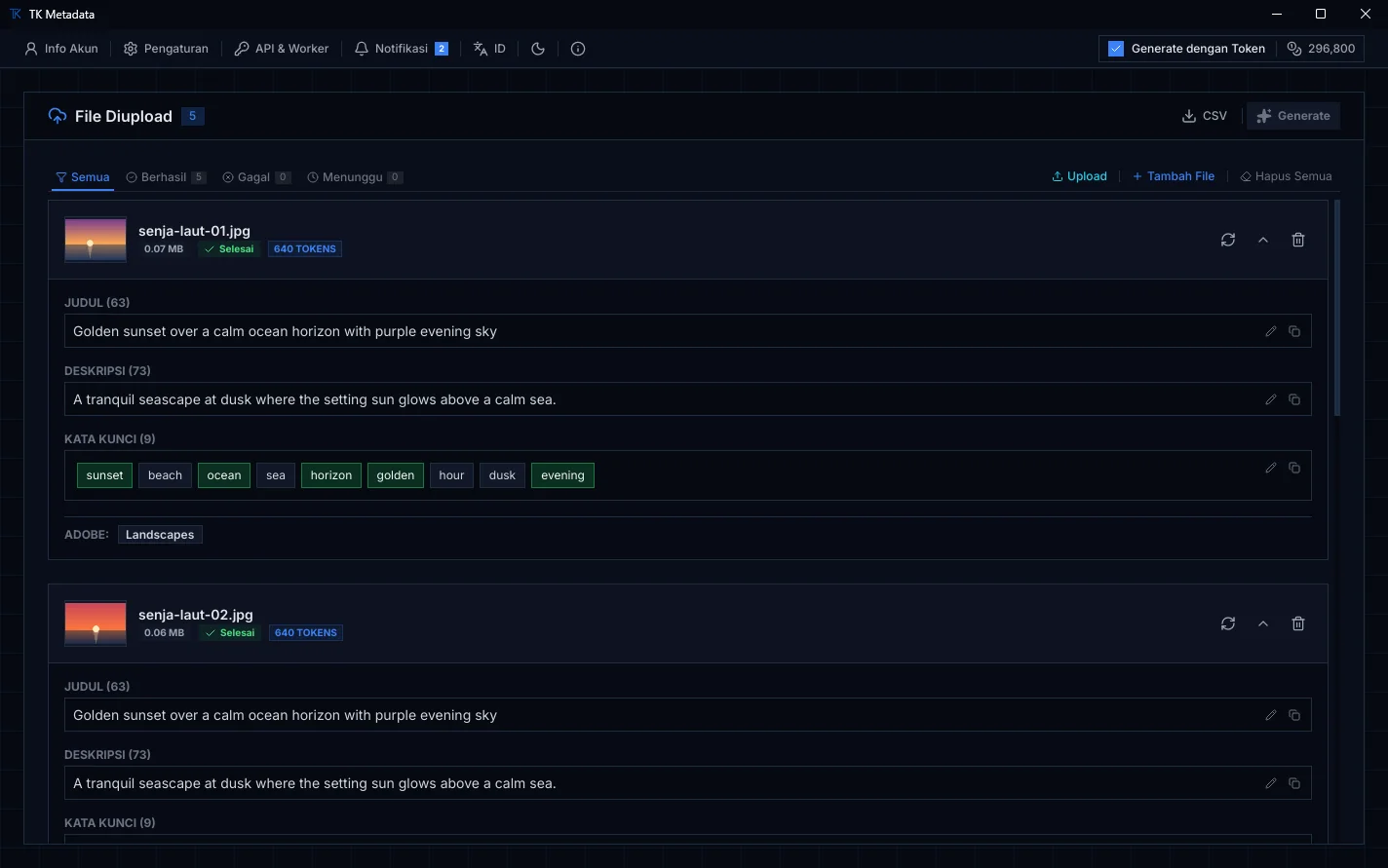
Drop in photos, videos, or vectors. AI writes the title, description, and keywords, then TK Metadata saves them into the files or prepares a CSV for your agencies.

What it does
What you need: Internet connection · AI API key or TK tokens
Works with microstock agencies
- Adobe Stock
- Shutterstock
- Vecteezy
- Canva
- Pond5
- 123RF
- Freepik
- MiriCanvas
How it works
Add your files
Drag a folder of photos, videos, or vectors into TK Metadata.
AI reads them
Every file is analysed by the AI you choose.
Review and edit
Titles, descriptions, and keywords can be changed before saving.
Save or export
Write straight into the files, or make a CSV for your agencies.
See how it works
File types
Before and after TK Metadata
Without TK Metadata
- Typing titles and keywords one by one
- Easy to make typos and inconsistent
- The more files, the longer it takes
With TK Metadata
- AI writes for a whole folder at once
- Consistent results that follow your rules
- Just review, then save to the files or a CSV
Use the AI you prefer
Enter your own API key, or use TK tokens with no API key at all.
About TK Metadata
My own API key or TK tokens?
With your own API key you pay the AI provider directly and pick any model. With TK tokens you need no API key: tick Generate with Tokens and your balance goes down as you use it. Every subscription plan includes bonus tokens.
Which agencies are supported?
Upload-ready CSV for Adobe Stock, Shutterstock, Vecteezy, Canva, Pond5, 123RF, Freepik, and MiriCanvas. Metadata can also be written straight into the files, so other agencies read it too.
Does it work with video and vectors?
Yes. Video is analysed from several stills, and SVG, EPS, and AI vectors are supported too. For EPS and AI, the app asks you to install one extra component, once.
Can I control the results?
Yes. Set the title length and keyword count, required or forbidden keywords, the language, even your own AI instructions. Every result can be edited before saving.
 Yho Microstock Calendar
 Yho Prompt Generator
 Yho Motion
 Yho Upscale Gambar
 Yho Upscale Video
 Yho Similar Check
 Yho SFTP Upload